

PrestaShop needs the following server configuration in order to run:
- System: Unix, Linux or Windows.
- Web server: Apache Web Server 2.2 or any later version.
- PHP: We recommend PHP 7.1 or later. See the compatibility chart below for more details.
- MySQL: 5.6 minimum, a recent version is recommended.
- Server RAM: The more the merrier. We recommend setting the memory allocation per script (
memory_limit) to a minimum of256M.
PrestaShop can also work with Nginx 1.0 or later.
How to verify your server meets PrestaShop’s requirements
You can use our system requirements tool to easily check if your environment fulfills PrestaShop’s requirements. Here’s how:
- Download the latest version from GitHub.
- Extract the zip file.
- Upload the
phppsinfo.phpfile to your server and put it inside your current shop’s directory or the one where you intend to install it. - Open it up on your browser (
http://your-domain.com/path-to-your-prestashop/phppsinfo.php). - Type in the login and password if prompted (use
prestashopfor both).
You’ll get a web page detailing requirements and recommendations, and how your server does compared to them:
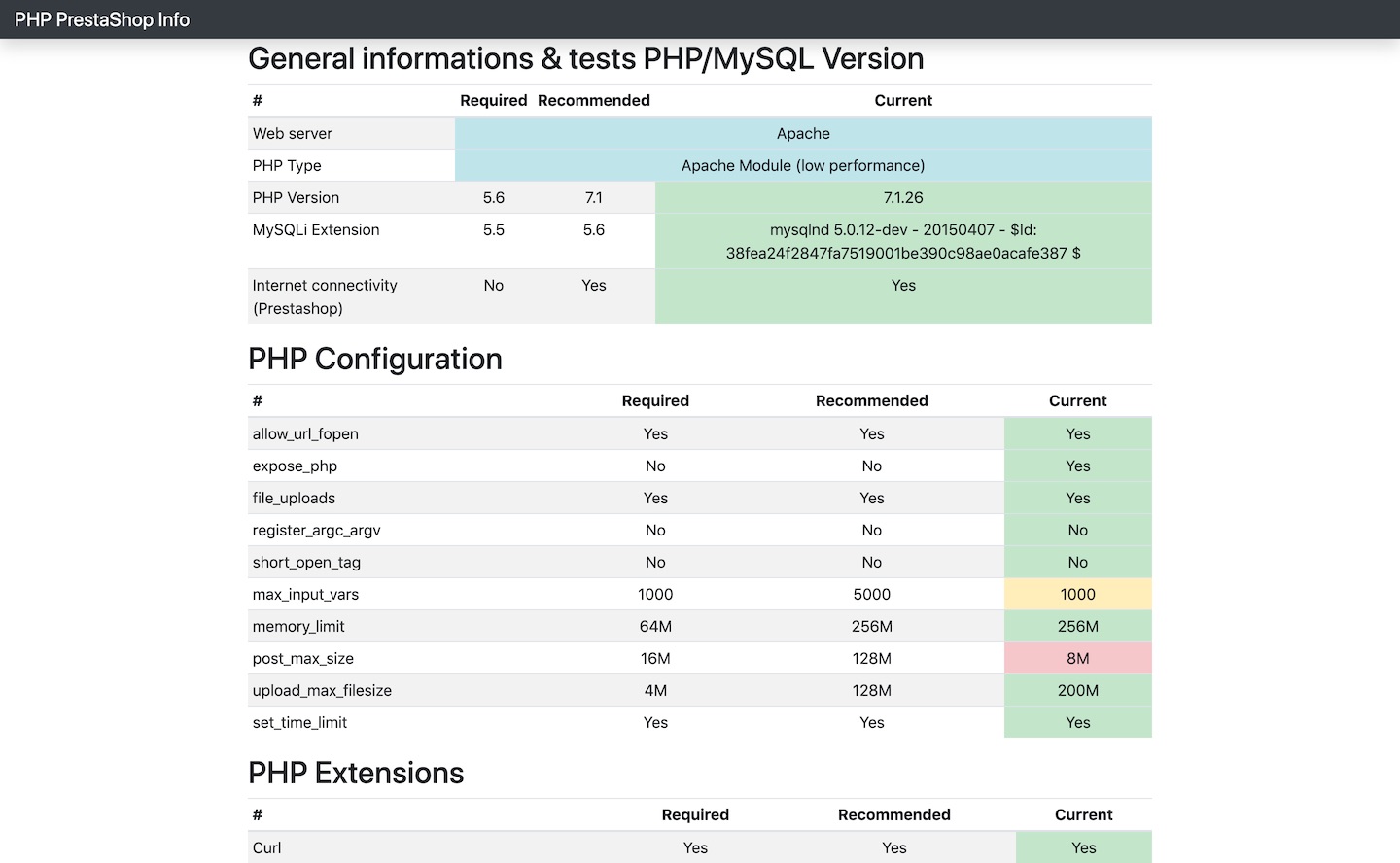
System requirements tool
PHP requirements
PHP compatibility chart
| PHP Version | ||||||||||||
|---|---|---|---|---|---|---|---|---|---|---|---|---|
| PrestaShop Version | ≤ 5.1 | 5.2 | 5.3 | 5.4 | 5.5 | 5.6 | 7.0 | 7.1 | 7.2 | 7.3 | 7.4 | ≥ 8.0 |
| 1.6.1.x | No | Yes | Yes | Yes | Yes | Yes | Yes | Recommended version | No | No | No | No |
| 1.7.0 ~ 1.7.3 | No | No | No | Yes | Yes | Yes | Yes | Recommended version | No | No | No | No |
| 1.7.4 | No | No | No | No | No | Yes | Yes | Recommended version | No | No | No | No |
| 1.7.5 ~ 1.7.6 | No | No | No | No | No | Yes | Yes | Yes | Recommended version | No | No | No |
| 1.7.7 | No | No | No | No | No | No | No | Yes | Yes | Recommended version | No | No |
| 1.7.8 | No | No | No | No | No | No | No | Yes | Yes | Yes | Recommended version | No |
Legend:
= Recommended version Yes = Supported No = Not supported
PrestaShop needs a few additions to PHP and MySQL in order to fully work. Make sure that your PHP configuration has the following extensions and settings configured:
Extensions
- CURL. The Client URL extension is used to download remote resources like modules and localization packages.
- DOM. The DOM extension is needed to parse XML documents. PrestaShop uses it for various functionalities, like the Store Locator. It is also used by some modules, as well as the pear_xml_parse library.
- Fileinfo. The File information extension is used to find out the file type of uploaded files.
- GD. The GD extension is used to create thumbnails for the images that you upload.
- Iconv. The ICONV extension is used to convert character sets.
- Intl. The Internationalization extension is used to display localized data, such as amounts in different currencies.
- JSON. The JSON extension is used to manage JSON format.
- Mbstring. The Multibyte string extension to perform string operations everywhere.
- OpenSSL. The OpenSSL extension is used to improve security.
- PDO. The PHP Data Objects extension is used to connect to databases.
- PDO (MySQL). The PDO_MYSQL driver is used to connect to MySQL databases.
- SimpleXML. The SimpleXML extension is used to manage XML files.
- Zip. The Zip extension is used to expand compressed files such as modules and localization packages.
Settings
allow_url_fopenenabled. This directive enables PrestaShop to access remote files, which is an essential part of the payment process, among others things. It is therefore imperative to have it set toOn.
Here is a section of the php.ini file (the configuration file for PHP):
extension = php_mysql.dll
extension = php_gd2.dll
allow_url_fopen = On
allow_url_include = Off